Salient WPBakery Page Builder
Every page in Salient is built with this plugin. It is the editor behind every demo, every Salient Studio template and every element in the theme, which makes it the one plugin a Salient site cannot run without.
Underneath it is WPBakery Page Builder, the commercial builder used by millions of WordPress sites, in a build that ThemeNectar maintains and tunes for the theme.
Install it from the theme's plugin notice, or from Appearance > Install Plugins, before you build anything or run the Demo Importer.
WPBakery Page Builder is bundled with Salient. There is no separate purchase and no license key to enter. Support for this build comes from ThemeNectar support. The details are under Licensing and updates.
What the Salient build adds
The differences run deeper than how the editor looks: 84 Salient elements, 52 stock ones removed, Row and Column panels rebuilt around the theme's controls, and Salient Studio in place of WPBakery's template library. Salient WPBakery Page Builder covers what that changes and how the editor is put together.
Licensing and updates
The bundled build is licensed for use with Salient. A few things follow from that.
- No key, no activation. The plugin may show a notice asking you to activate it or enter a purchase code. You do not have one and do not need one. Dismiss the notice; nothing is locked behind it.
- Updates come with Salient. Each WPBakery release is reviewed and rebuilt with the theme's changes on top, then shipped in the next Salient update. A new WPBakery version can therefore take a little while to reach you, and it is always the version the theme has been tested with. Do not update it from anywhere else.
- WPBakery's own extras are not included. The WPBakery Template Library, and support from WPBakery directly, come only with a license bought from WPBakery. Salient does not use the Template Library; its own templates live in Salient Studio.
- You can buy your own license if you want those. A standalone license from WPBakery is never required, and buying one does not change how the theme works.
- It is part of the Salient package. The build is made for sites built with Salient. The plugin's own code is licensed under the GPL version 2, which the Salient License notes alongside the other bundled components.
Where to start
Everything about using the builder is documented in three places.
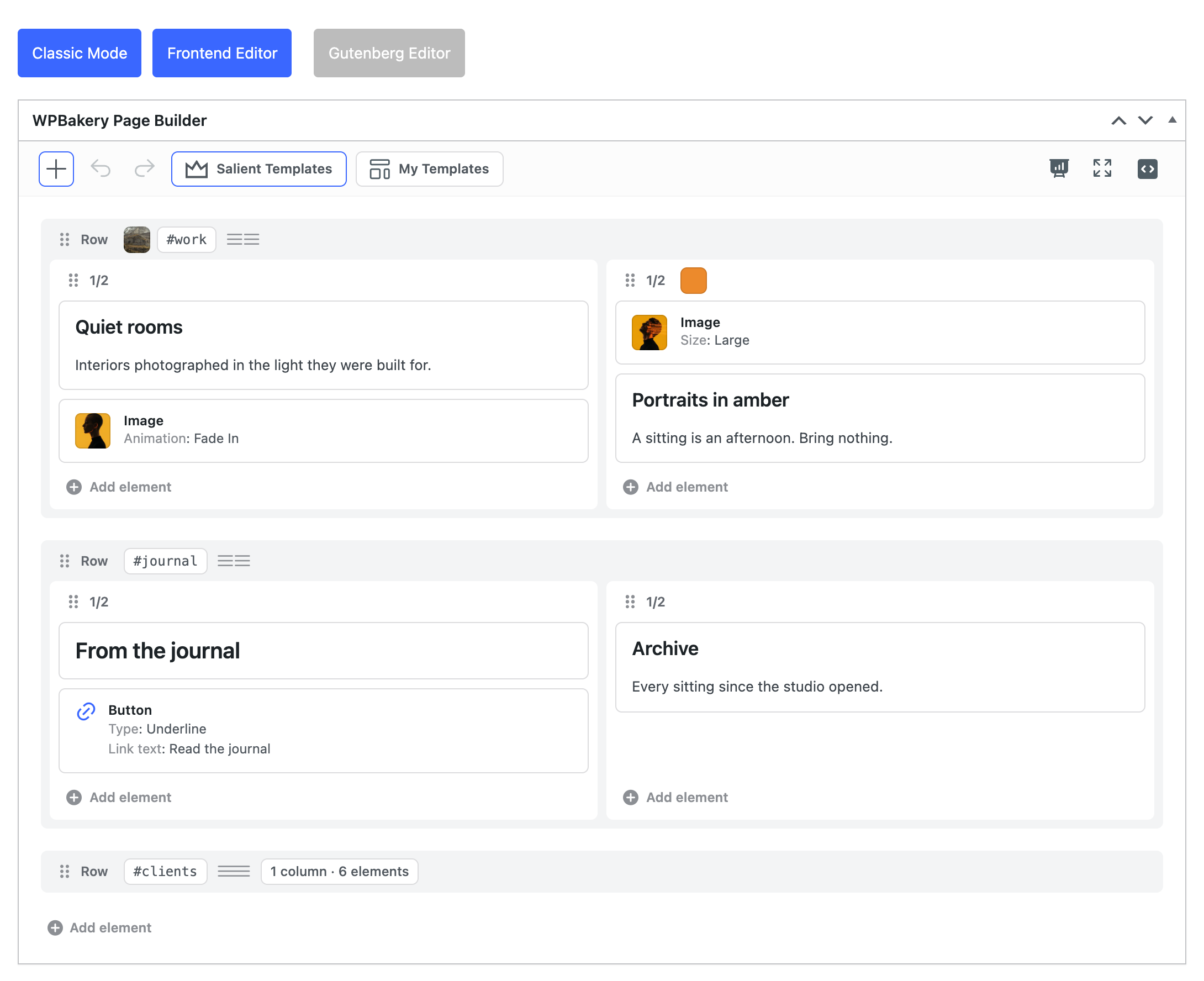 The builder interfaceHow a page is put together and where the controls live: the editing modes, then rows and columns, which carry most of the styling.
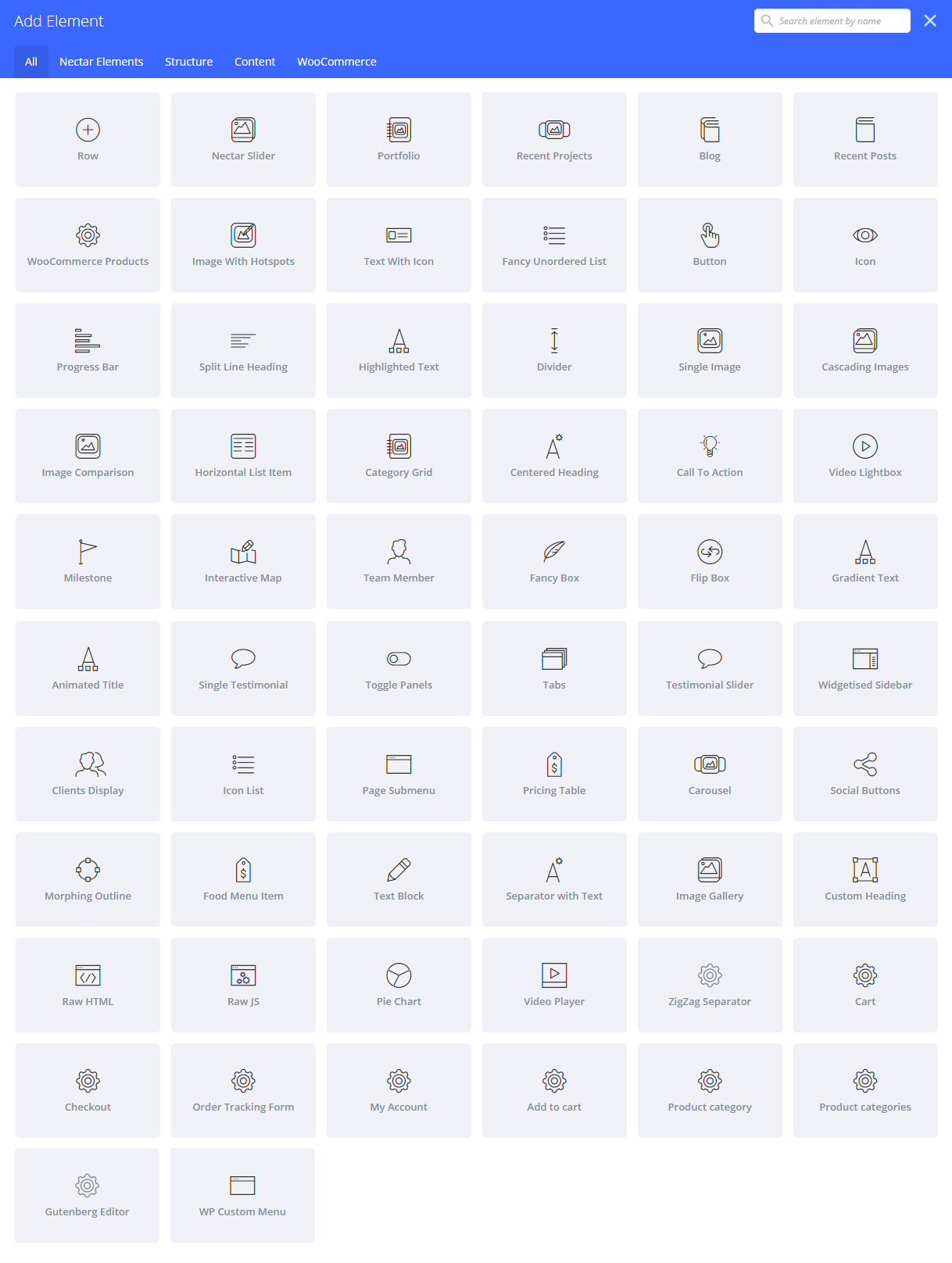 ElementsThe 84 things you can drop into a column, from sliders to animated text. One page each, with every setting and a preview.
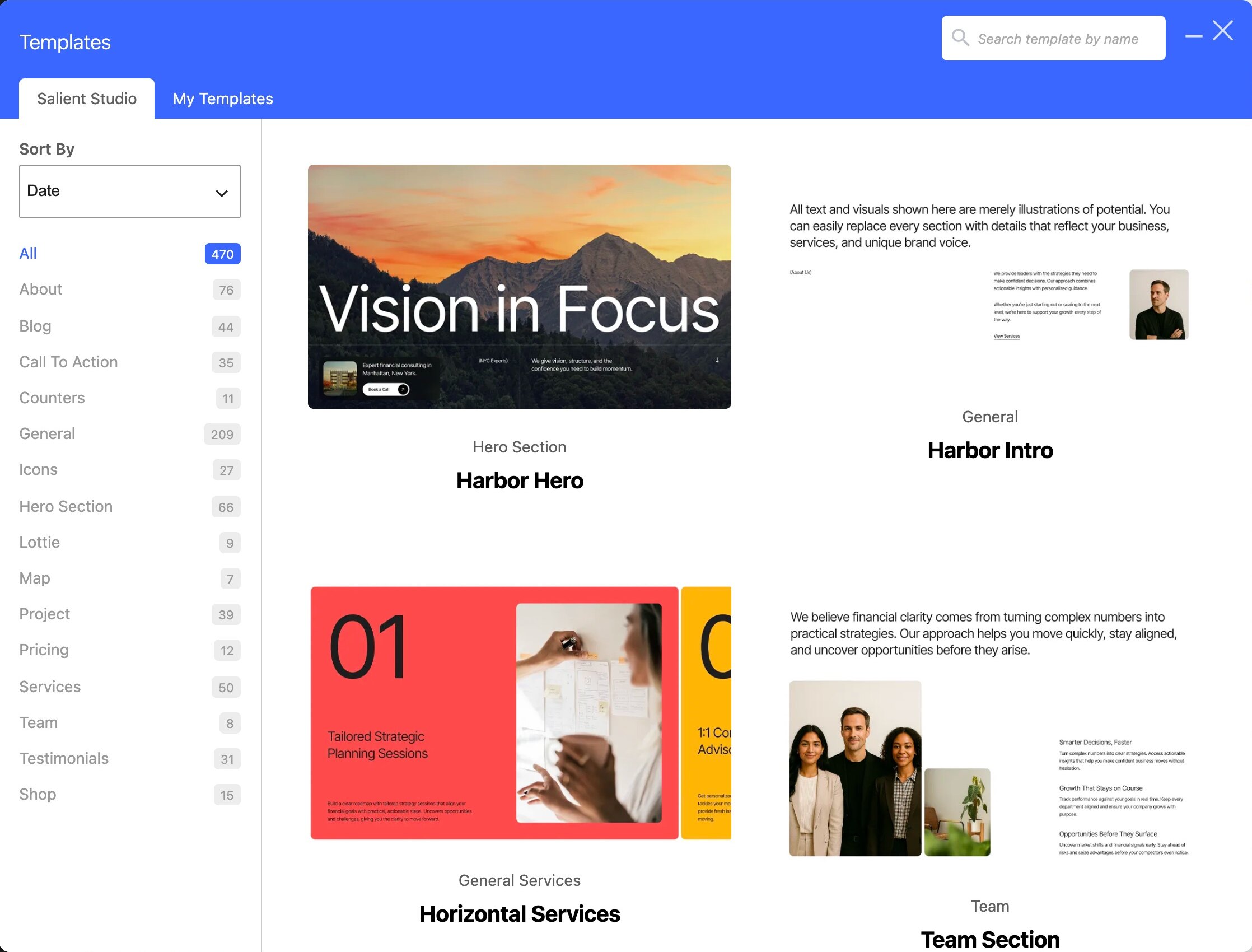 Salient StudioDesigned sections you insert and then edit as ordinary rows and columns, in place of WPBakery's own template library.
Settings
The builder's own settings live under WPBakery Page Builder in the WordPress admin sidebar. Most sites never need to change them. Two are worth knowing about:
| Setting | What it does |
|---|---|
| Role Manager | Controls which user roles can use the builder, and which elements each role can place. Useful when handing a site to a client. |
| Post Types | Chooses which post types the builder is available on. Pages, posts and portfolio projects are enabled for you. |
Where a stock WPBakery element overlaps a Salient one, Salient does not register it, so the Add Element window never lists the same thing twice. If you are moving a site over and want the originals back, see Enable Native WPBakery Elements.