

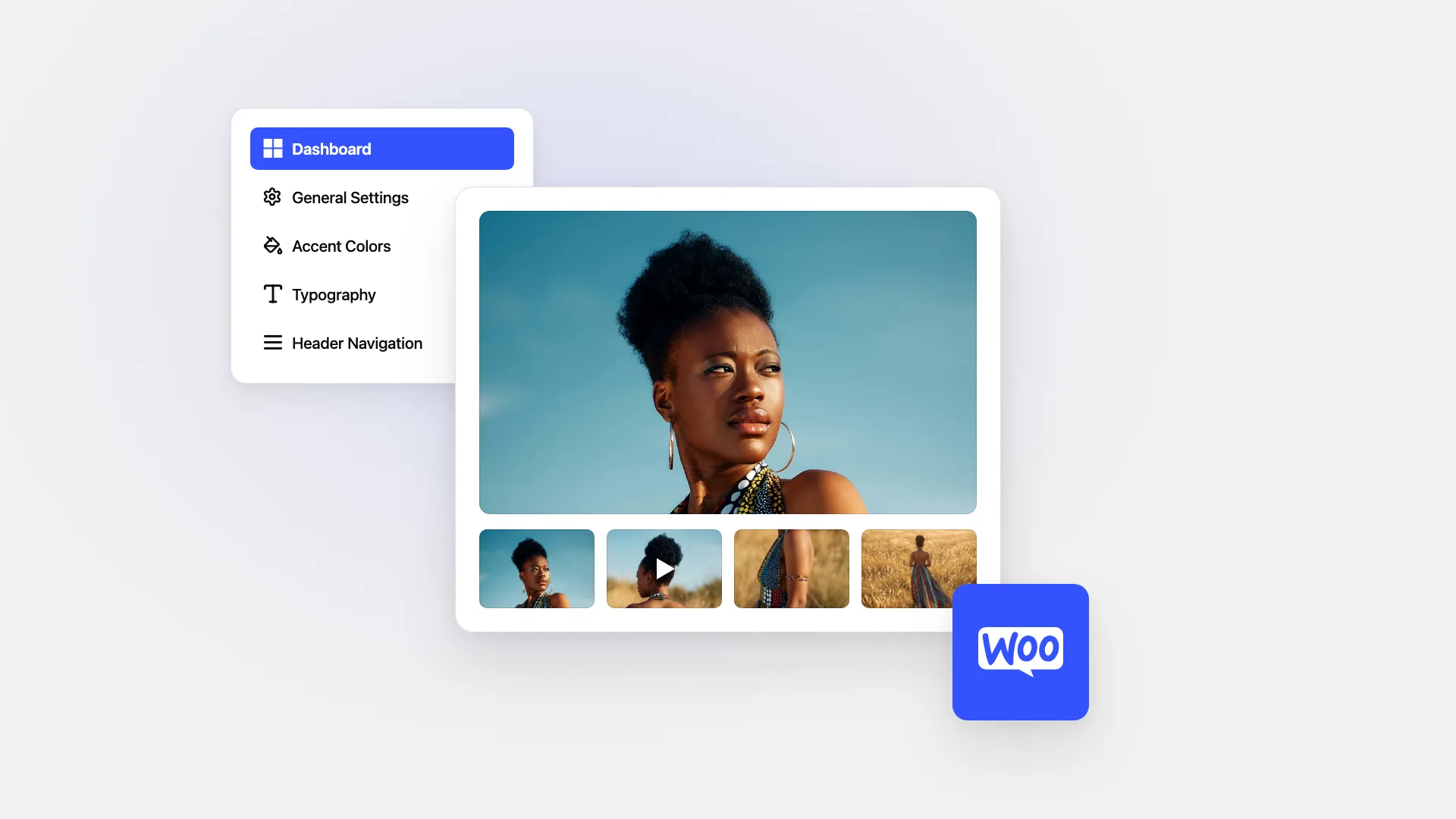
Video in your product gallery used to mean a third-party plugin. WooCommerce finally built it into core in 11.1.0, and Salient 18.3.0 adds support for it in all four of the gallery styles the theme ships. We shipped support for it the week it landed.
The options panel opens on a new Dashboard tab too. Activate your license there, jump to the settings you edit most, and if you bought direct from us, update Salient from inside WordPress.
The rest is maintenance. Twenty-nine changes, fifteen of them bug fixes, a pass over PHP 8.4 deprecations, and the WooCommerce template overrides brought up to core 11.0.0.
If you sell things, do this one this week.
Product gallery videos, in every Salient gallery style
Salient gives you four product gallery styles, and videos can now play in all four, including the three it renders itself instead of handing the job to WooCommerce. Here’s what each option under Single Product Gallery Type, in Salient’s WooCommerce theme options, does with a video:
- Default WooCommerce Gallery, where WooCommerce draws the video itself.
- Bottom Thumbnails Slider, video in the slider and in the thumbnail strip.
- Left Thumbnails + Sticky Product Info, where a video opens in the lightbox in either click mode, having no larger source to zoom into.
- 2 Column Images + Sticky Product Info, video in the column flow with the images.
WooCommerce ships gallery video as an experimental feature, off by default and buried where you wouldn’t think to look. Turn it on at WooCommerce > Settings > Advanced > Features, then scroll past the regular features to the Experimental heading: “Product gallery videos”, described as “Enable videos in product galleries”. Direct link: /wp-admin/admin.php?page=wc-settings&tab=advanced§ion=features.
Then add the video where you already add the images. The link at the bottom of the product edit screen’s Product gallery box changes from “Add product gallery images” to “Add media to product gallery”, and the media picker starts taking video files.
A Dashboard tab, and license activation inside the panel
Click Salient in the admin sidebar and you land on Dashboard, not General Settings.
The License card takes either kind of key. A segmented control switches between Direct license and ThemeForest, so a ThemeNectar key and an Envato purchase code go into the same field. Around it sit Quick Links into General Settings, Typography, Header Navigation, Global Sections and Menus, a Support card, Help & Resources, the newest demo, and a header note when a bundled Salient plugin is behind the version this theme ships.
Activate a direct license and a One-Click Updates toggle turns up with it. WordPress checks for the theme update from then on, and you install it from your dashboard. No trip to ThemeForest, no zip.
A direct license also gets you license management in your ThemeNectar account, volume pricing on bulk licenses, and priority support. ThemeForest purchases still activate here and they’re still verified. They update the way they always have.
Everything else in this release
The column Maximum Width option picked up an alignment setting. Image, Column and Fancy Box gained a fade in from top animation, and Chat Thread got an option for its animation timing.
Smaller stuff elsewhere. There’s a theme option to switch off Yoast’s breadcrumb output, and accent color now reaches megamenu sub-column headings when you hover a child item. Fancy Box media URLs went into the WPML config. And Scrolling Text pauses its marquees when they’re offscreen and composites its SVG outlines more cheaply.
The fifteen fixes are mostly header and menu behaviour. One matters more than the rest if you run WPML: global section CSS was being generated for a different translation than the one rendering. The line-by-line is in the Salient changelog.
How to update
Theme first. 18.3.0 ships Salient Core 3.1.6 and Salient Demo Importer 1.9, and it’s tested against WordPress 7.0. The floor hasn’t moved, so WordPress 6.8 and PHP 7.4 are still enough.
Update the theme however you normally do: the Envato Market plugin, a manual re-upload under Appearance > Themes, or the new one-click update if you hold a direct license. Clear your caching and minification plugins afterwards. The longer version, including the PHP limits a zip this size needs, is in updating Salient.
Worth doing first
If you sell physical products, start with the gallery. A still can’t show scale, or movement, or the way a fabric falls. Five seconds of video can, and now it costs you a toggle and an upload. Our WooCommerce feature page walks through the gallery layouts if you’re still picking one.
And if you bought Salient direct, paste your key into the Dashboard tab while you’re in there. A minute now, and the next update comes to you.
FAQ
Which version of WooCommerce do I need for product gallery videos?
WooCommerce 11.1.0 or newer. The gallery is WooCommerce’s own feature and Salient reads it through the ProductMediaGallery class, which doesn’t exist on older versions. On those, the galleries fall back to the image-only list and render exactly as they did before, so updating Salient early costs you nothing.
Can a video be the first thing in a product gallery?
Only on a product with no featured image. WooCommerce positions videos against the gallery images and offsets them by one whenever a featured image exists, so the featured image keeps the main slot and the video appears at the position you stored it in, after it.
Can I turn on one-click updates with a ThemeForest purchase code?
No. A purchase code activates the license and verifies ownership, but the One-Click Updates toggle only turns up for a direct ThemeNectar license. ThemeForest buyers keep updating through the Envato Market plugin or a manual re-upload.


